6/6/2017
Getting Started - React-Native Tutorial (1/6)
Welcome to the first exercise in the React Native Track of this Apollo Client Tutorial! The example project will be based on create-react-native-app and Expo.
There is also a "normal" React tutorial, in case that's what you're looking for.
Goal
The goal of this first exercise is to install a React Native App and run it afterwards. You will get familiar with the infrastructure surrounding Apollo Client for React Native and with the App structure of the Pokedex.
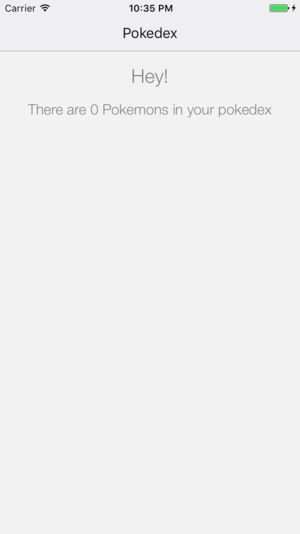
We will see a generic greeting in our pokedex at the end of this exercise:
Introduction
If you've signed up with GitHub, you can receive your own pokedex-react-native here:
Now change to the first exercise and install the dependencies from your console:
cd pokedex-react-native/exercise-01
yarn install # or npm install
Getting Familiar with the App
Let's take a moment to get more familiar with the structure of the app before we run it.
The starting point for our App is App.js. At the moment, all that happens here is setting up the router to render the Pokedex component for the /pokedex route path:
import React from 'react'
import { Actions, Scene, Router } from 'react-native-router-flux'

import Pokedex from './components/Pokedex'

const scenes = Actions.create(
  <Scene key='root'>
    <Scene key='pokedex' component={Pokedex} title='Pokedex' initial={true} type='replace' />
  </Scene>
)

export default class App extends React.Component {
  render() {
    return (
      <Router scenes={scenes}/>
    )
  }
}
Adding Apollo Client to the App
Let's see how we can add Apollo Client to our App together by adding these changes to App.js.
Package Dependencies
Open package.json to have a look what packages we are using.
apollo-client- the core package exposes the JS Apollo Client which provides the core functionalityreact-apollo- the React integration exposes theApolloProviderthat can be used to wrap other React components, allowing them to send queries and mutations
Now go ahead and import the following at the top of App.js:
COPY THIS SNIPPET
copy to App.js
import ApolloClient, { createNetworkInterface } from 'apollo-client' import { ApolloProvider } from 'react-apollo'
Configuring Apollo Client with our GraphQL server
Now we can connect Apollo Client with our GraphQL server in App.js by configuring the network layer. Paste the following right after the imports in App.js:
COPY THIS SNIPPET
copy to App.js
const client = new ApolloClient({ networkInterface: createNetworkInterface({ uri: 'https://api.graph.cool/simple/v1/__PROJECT_ID__'}), })
If you signed up with GitHub and downloaded the example, we already inserted your individual GraphQL endpoint for the following exercises.
Connecting Apollo Client to our React Components
To allow our React components to issue GraphQL queries and mutations through the client we wrap them with the ApolloProvider component from the react-apollo package. Replace the routes object in App.js with:
COPY THIS SNIPPET
copy to App.js
const client = new ApolloClient({ networkInterface: createNetworkInterface({ uri: 'https://api.graph.cool/simple/v1/__PROJECT_ID__'}) }) const scenes = Actions.create( <Scene key='root'> <Scene key='pokedex' component={Pokedex} title='Pokedex' initial={true} type='replace' /> </Scene> ) export default class App extends React.Component { render() { return ( <ApolloProvider client={client}> <Router scenes={scenes}/> </ApolloProvider> ) } }
As we are using react-native-router-flux to handle our routes, we wrap the Router component. Note that the /pokedex route points to the Pokedex component.
Note: You don't have to put
ApolloProvideron the highest level of the component hierarchy - however, every component that wants to use Apollo Client needs to be a direct or indirect child ofApolloProviderin the component hierarchy.
Our Pokedex component lives in 'components/Pokedex.js'. Currently, it only contains a generic greeting, but that will change soon! We will further expand this component in the following exercises to give an overview about all the pokemon in your Pokedex as well as the possibility to add new pokemons or update existing ones. But for now, let's make sure you are ready to go.
Starting the App
Let's confirm that your environment is all correctly setup.
# open on your hardware device

# open in simulator
yarn run ios # or yarn run android
You should see the greeting from the Pokedex component.
If you have problems setting up React Native, refer to the official getting started guide.
Recap
Great, you did it! You successfully ran the React Native App and got familiar with its general structure. Let's quickly summarize what we learned so far:
- To use Apollo Client, we need to import it from
apollo-clientand setup its networkInterface - We can issue queries and mutations in our React components by wrapping them in the Apollo Provider found in
react-apollo - We will use the Pokedex component to list our pokemons and to offer other features